DOWNLOAD FOR WINDOWS
v1.0.0 Stable
•
x64 Installer
•
~122 MB
Engineered for SysAdmins, DevOps, and Infrastructure Engineers. Built with Windows DPAPI hardware-encrypted credentials, instant PuTTY-style copy/paste engine, 14 vibrant OP themes, dual-pane SFTP, and 100% offline data ownership.
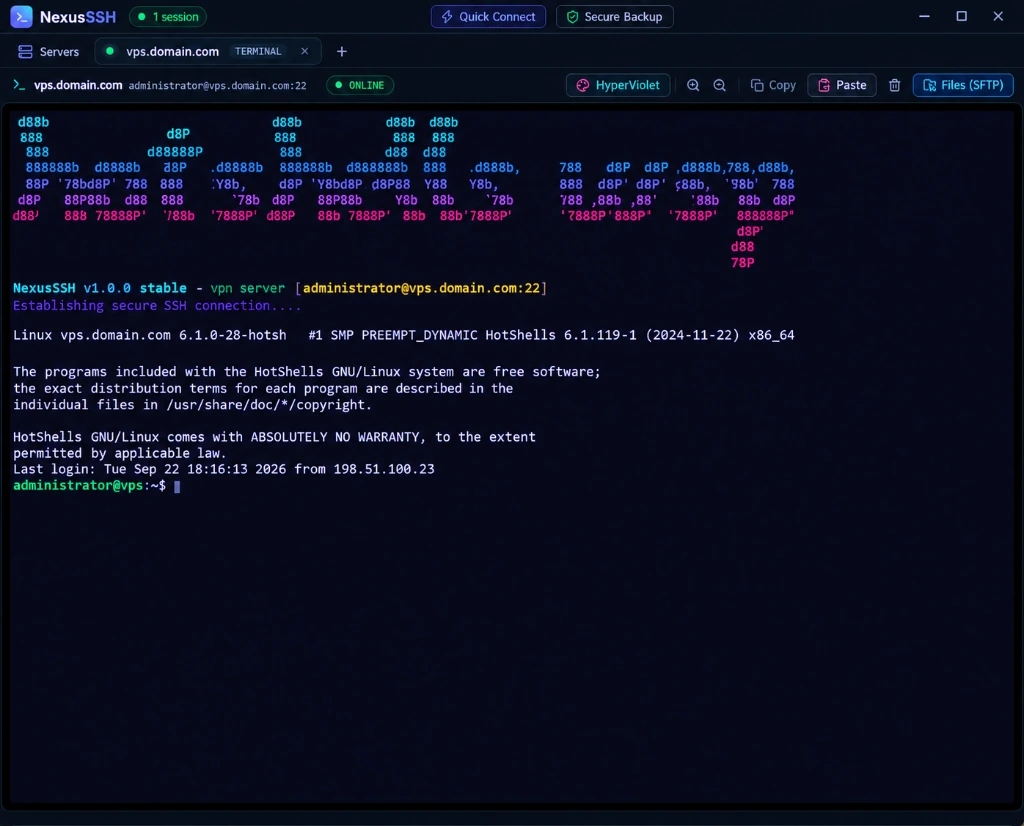
Real screenshots taken from production builds running on Windows 11. Click any tab to examine the interface or click any screenshot to zoom in.
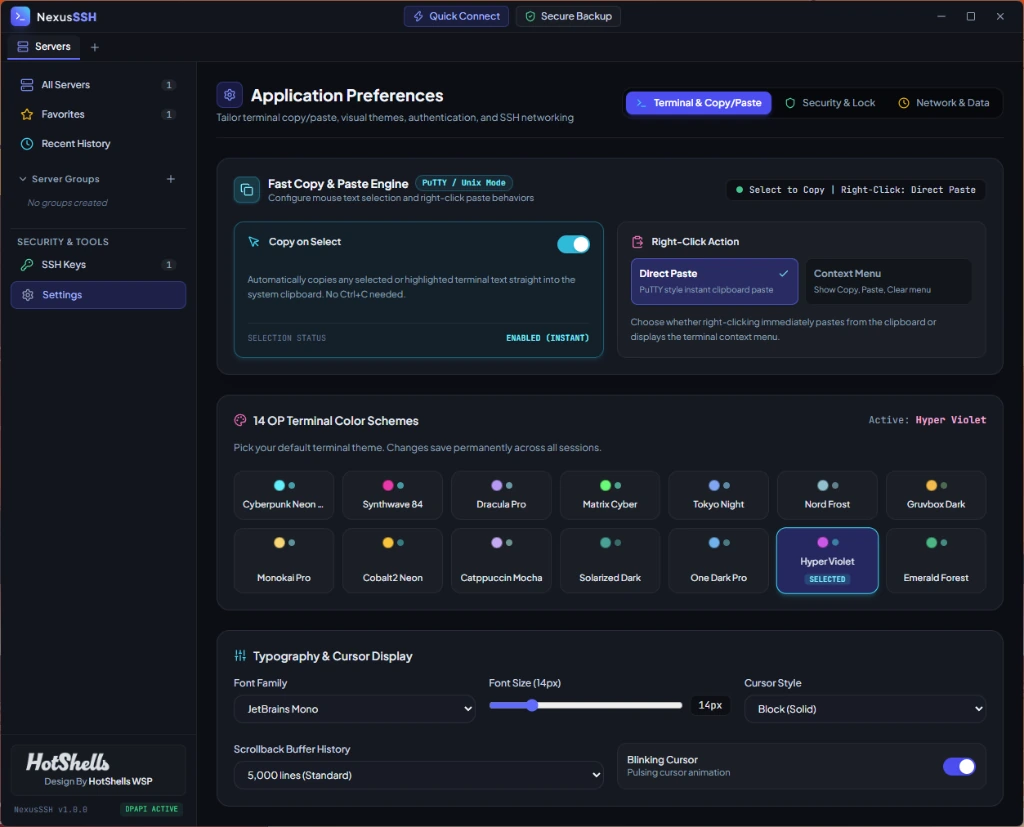
Experience the fastest terminal clipboard engine available on Windows. No more fiddling with right-click menus when you need instant commands executed on remote clusters.
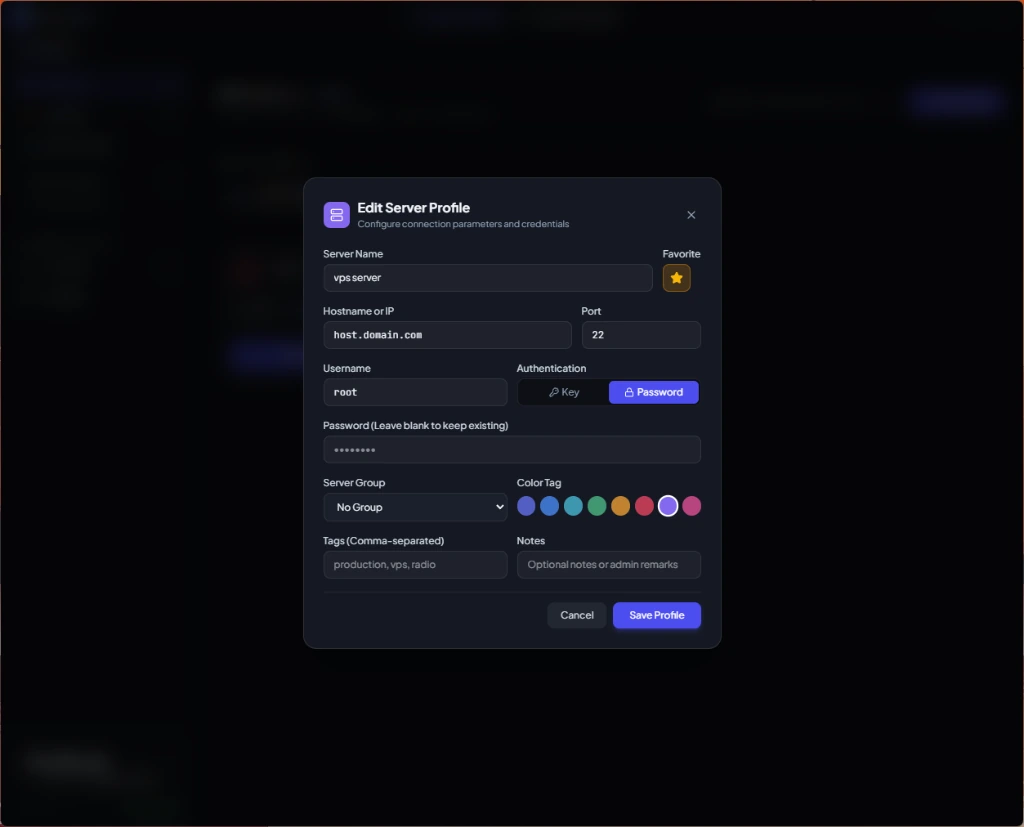
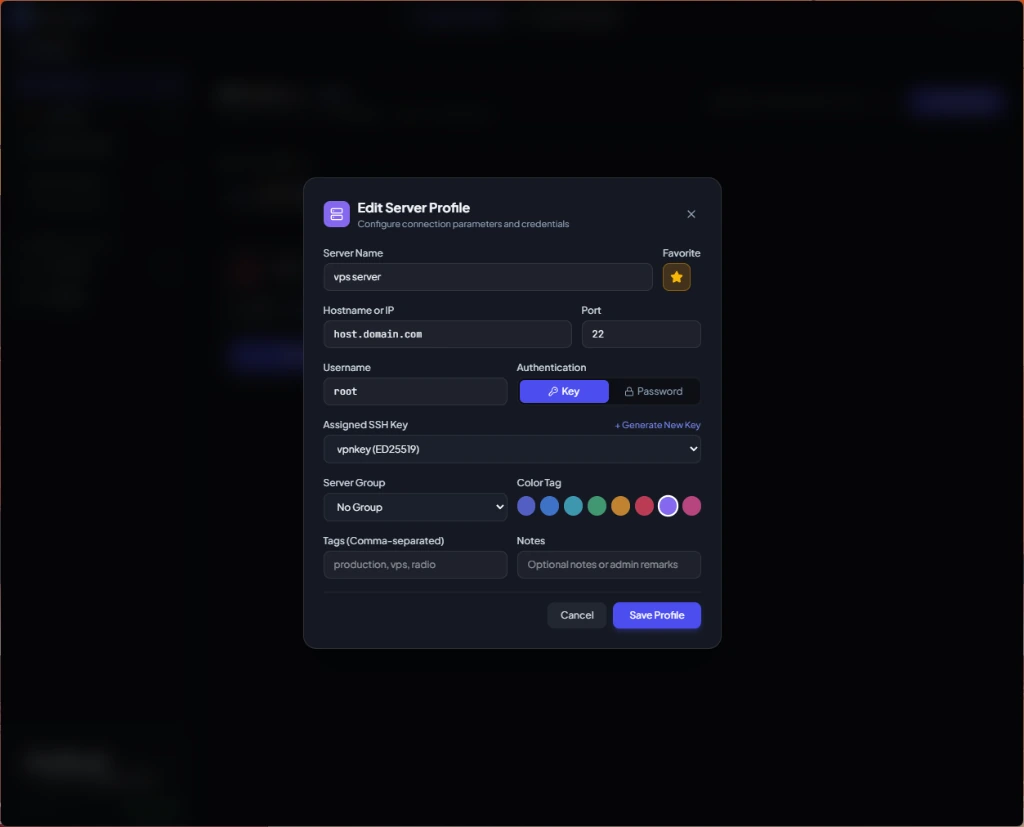
Organize dozens of production, staging, and infrastructure nodes with color-coded tags, group hierarchies, and instant favorite stars.
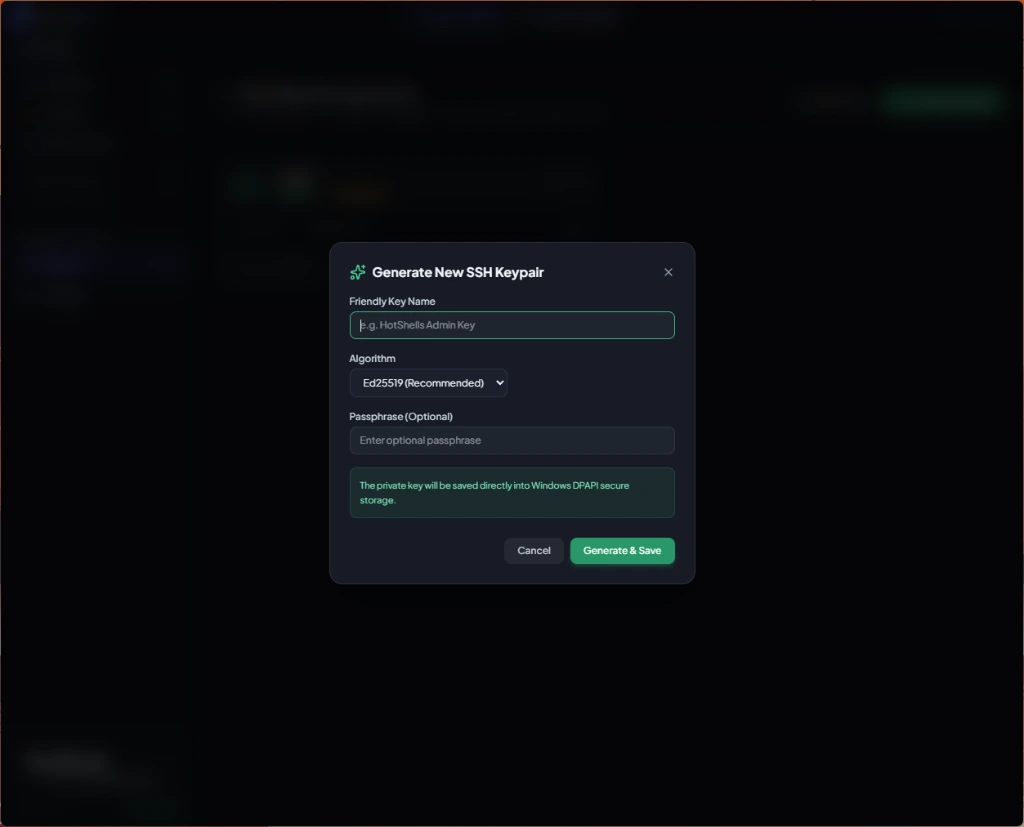
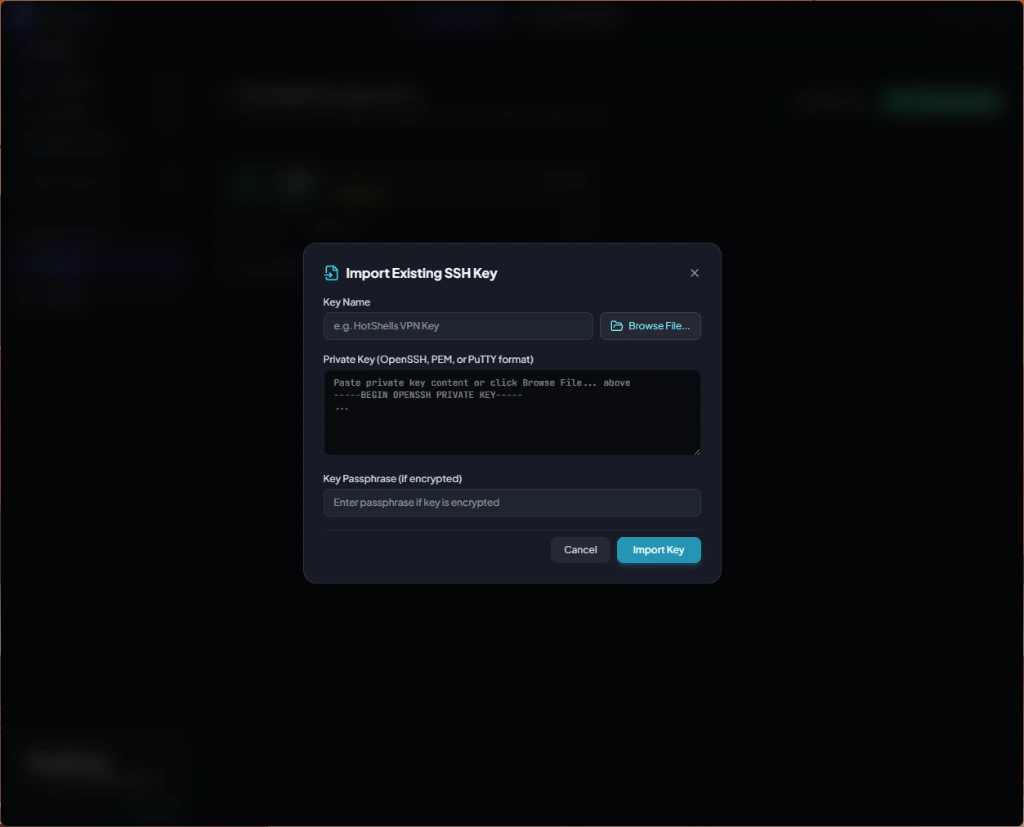
Generate military-grade cryptographic keypairs right inside the app with zero command-line complexity. Never expose your private keys to plaintext files.
Enjoy lightning-fast remote command-line work with smooth scrollable viewport, full Unicode and UTF-8 support, and comprehensive escape sequence rendering.
Designed from the ground up to eliminate the shortcomings of legacy tools like PuTTY and subscription-bound cloud clients.
Native PuTTY / Unix behavior. Dragging mouse selects and copies immediately to OS clipboard on release (`copyOnSelect: true`). Right-clicking pastes text straight into the remote shell without menus.
Vibrant, high-contrast themes including Cyberpunk Neon (OP), Synthwave 84, Dracula Pro, Tokyo Night, and Hyper Violet. Your chosen theme permanently persists across all sessions.
All saved server passwords, private SSH keys, and server profile details are encrypted using Windows DPAPI (Data Protection API). If someone copies your database, they cannot decrypt your data.
Protect the app with an optional master startup password (PBKDF2 100,000 iterations) and 2-Factor Authentication using Google Authenticator / Authy with an interactive QR code scanner.
Seamlessly browse remote server file systems alongside your local Windows explorer. Upload, download, create directories, and manage files with live transfer progress bars.
Custom NSIS uninstaller includes an explicit prompt to purge all saved profiles, settings, and database files. Leaves 0 orphan files behind in `%APPDATA%` or registry.
Engineered for prolonged coding and system administration sessions with maximum contrast and zero eye strain.
A direct comparison between NexusSSH, legacy terminal utilities, and commercial subscription tools.
| Capability / Feature | NexusSSH (HotShells) | Termius | PuTTY | Windows Terminal |
|---|---|---|---|---|
| Data Ownership & Privacy | ✔ 100% Local Vault | ✘ Requires Cloud Sync | ✔ Local Only | ✔ Local Only |
| Saved Profiles Encryption at Rest | ✔ Windows DPAPI Hardware | Encrypted Cloud | ✘ Plaintext Registry | ✘ Plaintext JSON |
| Copy on Select & Right-Click Paste | ✔ Fully Configurable | Partial | Fixed Direct Paste | Keyboard Only |
| 14 OP Color Schemes | ✔ 1-Click UI Picker | Limited Basic | ✘ Manual Hex Codes | Manual JSON |
| Integrated Graphical SFTP | ✔ Built-in Dual Pane | Paid Plan Only ($120/yr) | ✘ None | ✘ None |
| Startup App Lock & 2FA TOTP | ✔ PBKDF2 + QR Code | Paid Plan Only | ✘ None | ✘ None |
| Clean Zero-Trace Uninstaller | ✔ Total AppData Purge | ✘ Leaves AppData | ✘ Leaves Registry | Store App |
| Pricing Model | ✔ 100% Free Forever | $120 / year / user | Free | Free |
All encryption routines execute locally on your physical machine. Your credentials never touch any remote cloud server.
Download the official build for your platform, set up your servers with military-grade encryption, and experience the fastest SSH terminal client available.